Console menu
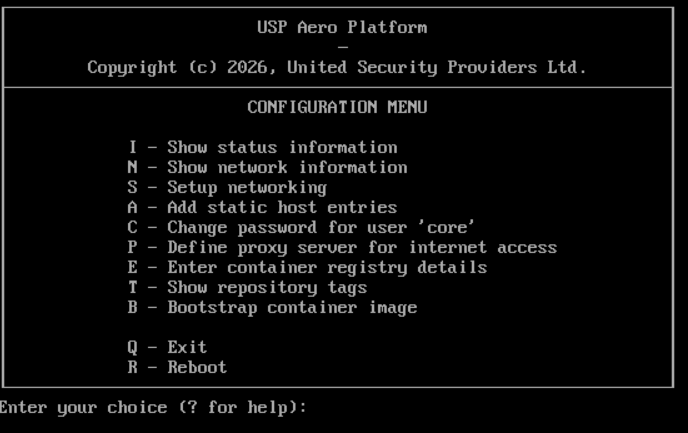
The console menu allows to configure the network settings for the Aero appliance and trigger the bootstrapping of the USP Aero platform, in case this did not happen automatically during the initial installation of the ISO image.
Hint
To use any functionality of the console menu, just enter the corresponding character and press "Enter", e.g. press "B" and then "Enter" to initiate the bootstrapping process.
Networking configuration
- In the console menu type "S":
- Edit a connection
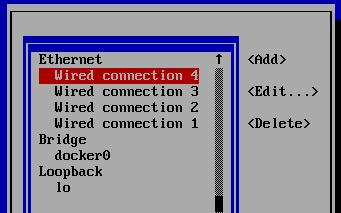
- Select the correct connection according to the Mac Address e.g. Wired connection 1
- IPv4 CONFIGURATION
→ "Show" - Addresses
→ - Gateway:
- DNS servers:
incl. search-domains - IPv6 CONFIGURATION
- OK
Container registry configuration
Validate if the container registry is accessible:
- Type "T"
- It should show a list of container tags, including the tag you have selected. Otherwise, the connection to the registry is not properly set up. Recheck the network and registry settings.
Bootstrap container image (this will extend Fedora CoreOS with custom tools and settings):
- Type "B"
The system will reboot automatically again. Afterwards, the first-time setup wizard UI will become available on all configured interfaces.